How to prepare for an online PhD interview
A video interview adds small problems that an in-person one does not have: time zones, connections, cameras and sound. This guide is a checklist for the days before, the first minutes and the moment something goes wrong.
On this page7 sections
What should you confirm before the day?
Many PhD interviews with professors abroad take place on a video call. Most surprises come from details nobody checked, so write to the department or the professor a few days ahead, if the invitation does not already answer these points:
- The time and the time zone. Convert the time to your own time zone yourself, and check it with a time converter, using the interview's own date, because clocks change on different dates in different countries. Then write the time back in your reply, in both time zones, so both sides agree: "Thank you, I confirm Thursday at 14:00 your time (16:30 my time)".
- The platform, for example Zoom, Microsoft Teams or Google Meet, and whether you must install something or use a link.
- Who will attend and how long it will last. It helps to know whether a second professor or a current student will join.
- The format. Ask whether you should prepare a short presentation, and how long it may be.
- A backup way to reach you, such as a phone number or a second email address, and the interviewer's contact in case something breaks.
How do you protect yourself from a bad connection?
A weak connection is the most common problem, and you can reduce the risk long before the call:
- Test on the same device and in the same place you will use for the interview, a few days before, with a friend if possible. Do it at the same hour of the day, because the quality of a connection changes during the day.
- Prepare a second route. Keep a phone with mobile data ready, so you can join the call from it or share its connection with your computer if the main one drops.
- Plug in. Use a cable instead of wireless if you can, and plug in your laptop so that the battery cannot end the call.
- Close what is not needed. Shut other applications, downloads and cloud sync during the call.
- If you need a VPN or another workaround to join the platform, or your internet or electricity is unreliable, tell the department early, test the same set-up on the same connection, and agree on a backup such as a phone call, instead of discovering the problem in the first minute of the call.
If the call drops, reconnect as quickly as you can and, if you cannot, send a short email at once explaining what happened and offering another time. Interviewers are used to technical problems and usually understand when you handle them calmly and honestly.
How do you set up camera and sound?
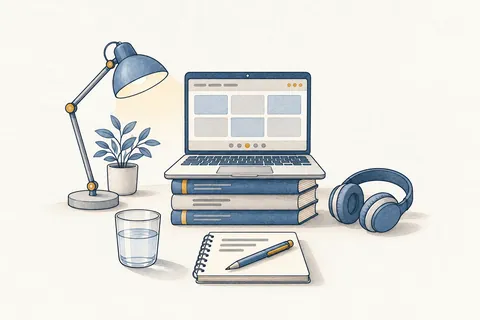
- Camera at eye level. Put the laptop on a stack of books so that you look at the camera, not down at the keyboard.
- Light in front of you, from a window or a lamp, not behind you. A bright window behind your head makes you a dark shape.
- Use headphones with a microphone, if you have them. Sound matters more than picture, because an interviewer will forgive a grainy image sooner than an echo.
- Pick a quiet room and tell the people at home when the call will take place.
- A plain background. A tidy wall or shelf is enough. If you use a virtual background, test it first, because it can distort your outline.
- Silence your notifications, including the phone you are not using.
Can you use notes during the call?
It depends on the programme and on the interviewer, and the polite way is to ask or to be open about it, not to hide it. A few keywords on paper, such as the names of your papers, two or three questions for the professor and a reminder of the key numbers in your thesis, are common. Reading full sentences aloud is not a good idea in any case. The guide on using notes in an online interview explains the rules and the etiquette in detail.
What should the first minutes look like?
- Join a few minutes early, with the camera and microphone already tested.
- Greet them and check the sound. A simple "Good morning, can you hear me clearly?" opens the call and confirms the connection.
- Look at the camera when you speak, not at your own picture, as much as you can.
- Allow a little delay. Video calls add a short pause, so wait a moment after the other person stops before you answer, to avoid talking over each other.
- Keep your first answer calm and short. Your preparation for the opening question is in the guide on "tell me about yourself".
What if something goes wrong during the call?
- The picture freezes. Say so politely: "I think the video froze on my side. Could you repeat the last part?"
- You did not hear a question. Ask for it again, or repeat it in your own words to check that you understood.
- The sound is bad for a long time. Suggest turning the camera off to save bandwidth, or moving to a phone call.
- Someone walks in or a noise starts. Apologise briefly and continue. It is a normal part of life, not a failure.
What do you do after the call?
Write a few notes while you remember them: the questions, anything you promised to send, and the next steps they described. Then send a short thank-you email within a day. The guide on the thank-you email shows how. If you felt anxious during the call, that is common, and the guide on handling nerves has practical help.
Frequently asked questions
Should I keep my camera on?
Yes, unless the interviewer says otherwise. If the connection is poor, you can offer to turn it off to improve the sound.
How early should I join the call?
A few minutes early is enough. It gives you time to check the sound and the picture without rushing.
What if I do not understand a question because of the connection or the accent?
Ask politely for it to be repeated, or say it back in your own words to check what you heard. That is normal and shows care.